
Reference

Open sorbet Esports Betting Hub

Esports Betting Hub on sorbet brings esports market cards, selection controls and a single event view into one lobby screen.

Event market cardsSelection slipPhone-ready layoutAccount verification
sorbet Open sorbet Esports Betting Hub
sorbet Explore the esports market format

Explore the esports market format

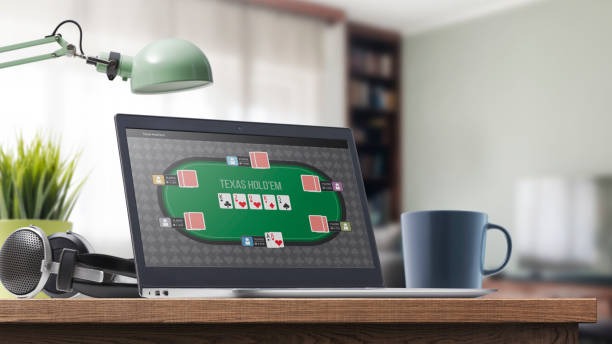
Esports Betting Hub is a market-based game page rather than a reel game or dealer table. Our lobby card identifies the game clearly, then opens an event-focused screen where you examine available selections before adding one to your slip. The provider label and game details remain attached to the title card so you can check the source shown in the lobby. This

format suits you when you want esports selections without moving through Live Roulette Royal or slot rooms.
MARKET FOCUS

Browse key Esports Betting Hub features

Each part of Esports Betting Hub is arranged around reading an event before confirming a selection.

Updated today
sorbet Focused market cards
EVENT VIEW

Focused market cards

Each event opens in its own card view, keeping the event name and available choices together. You can move between listed selections without losing the surrounding context, which helps when you are comparing several esports outcomes before adding anything to your slip.

sorbet Visible choice tracking
SELECTION SLIP

Visible choice tracking

Your chosen Esports Betting Hub selections appear in the slip as you add them. We keep that area close to the market list, so you can remove a choice or return to the event card before confirming the entry from the same screen.

sorbet Direct game access
LOBBY ROUTE

Direct game access

The Esports Betting Hub tile sits among our selected lobby titles, including Fishing War Quick Arena and Banjarmasin Night Spins. Its separate tile means you can enter the esports screen directly rather than opening a slot category first.

Start with clear market controls

The entry flow for Esports Betting Hub starts with account access, then phone verification before the lobby opens fully.

Open the event card

Choose Esports Betting Hub from the lobby, then open an event card to see the selections attached to it. The card-based layout keeps the game page focused on esports rather than mixing it with roulette tables or slot search results.

Check each selection

Read the visible selection label before adding it to your slip. We show the choice within its event context, so you can return to the card and compare the available options without restarting your path through the esports lobby.

Confirm the slip

The selection slip is where you check what you have added from Esports Betting Hub. Remove or adjust a listed choice before confirmation, then return to the event card if you want to inspect another esports market.

Use one account path

Phone verification happens before full account access, helping you avoid a stalled lobby session. After that step, Esports Betting Hub remains reachable through the same account menu used to enter other selected game titles on the site.

GAME DETAILS

Check Esports Betting Hub details

Esports Betting Hub does not use slot-style return figures because its format is based on event selections rather than spinning reels.

Auto-refresh hourly
sorbet Game type

Game type

92%

Esports market lobby with event cards, selectable outcomes and a visible selection slip.

sorbet Volatility

Volatility

97%

Not used for this format; volatility labels apply to reel games rather than esports selections.

sorbet Supported devices

Supported devices

96%

Phone browsers and larger-screen browsers can open the Esports Betting Hub lobby path.

sorbet Access region

Access region

95%

Indonesia access depends on local law and the availability shown after account verification.

RTP percentages are informational reference values from provider documentation. Actual session outcomes vary.

PHONE SCREEN

Switch to Esports Betting Hub on mobile

On a phone, Esports Betting Hub keeps the event card above the selection area so you can read the available choices without moving between several lobby pages.

Event cards first
Selection slip nearby
Phone verification
Lobby return path
sorbet mobile gaming
Google Play App Store
HELP ROUTES

Get help with esports selections

A stalled Esports Betting Hub screen needs a game-specific check, not a generic answer.

Lobby access issue If the Esports Betting Hub tile does not open after login, use the account…
Selection slip question When a choice looks different in your slip from the event card, contact support…
Mobile display check If a phone screen does not show the event card or slip clearly, tell…
FAIR PLAY

Check Esports Betting Hub signals

Transparency in Esports Betting Hub comes from showing the game title, event card, selection labels and confirmation path in the same flow.

Clear game identity

The lobby tile names Esports Betting Hub directly, helping you distinguish it from Aviator Quick Arena, Fishing War Quick Arena…

Visible event context

Selections are presented from an event card rather than as isolated buttons.

Slip confirmation step

The selection slip provides a separate point to inspect the choices you added.

Phone verification

We request clear phone verification before full account access.

Access wording

Esports Betting Hub availability depends on local law. We show account access first, then the lobby availability applicable to your…

Separate game format

This title is described as an esports market experience, not a live dealer table or slot room.

LOBBY MATCH

Compare esports with sibling titles

Esports Betting Hub is built for browsing event selections, while our sibling titles use very different game screens.

01

Esports Betting Hub

Choose this title when you want esports event cards, selection labels and a slip that tracks your choices. Its central activity is comparing listed markets rather than watching a dealer table or following a reel-based game sequence.

02

Live Roulette Royal

Open Live Roulette Royal when your preference is a roulette table format. It has a different visual rhythm from Esports Betting Hub, where the main screen is organised around event cards and choices rather than a wheel layout.

03

Aviator Quick Arena

Aviator Quick Arena is suited to a quick round-focused screen. Esports Betting Hub instead gives you time to inspect event selections, making it the more relevant lobby tile when you are looking for esports market content.

04

Fishing War Quick Arena

Fishing War Quick Arena uses an action-room format that differs from esports selections. Return to Esports Betting Hub if you want a card-based path where your choices remain visible in the slip beside the event screen.

05

Banjarmasin Night Spins

Banjarmasin Night Spins is a reel-game title, so its screen and game terms differ from Esports Betting Hub. The esports tile is the clearer choice when you want event labels and market comparisons rather than spin-based activity.

06

Football markets

Football market pages share the idea of event selections, but Esports Betting Hub keeps the focus on esports. Use the title card to confirm that you are opening the esports format before adding any choice to your slip.

07

Badminton markets

Badminton content is organised around its own sport context. Esports Betting Hub remains separate in the lobby, so you can switch formats through the account menu and clearly see which event category you are entering.

Discover six esports lobby details

Six practical details make Esports Betting Hub easy to recognise in our game lobby: its named tile, event-first screen, visible selection labels, separate slip, phone layout…

Named lobby tile

The title appears as Esports Betting Hub in the lobby, making it easy to distinguish from Live Roulette Royal and other selected games. Open that tile when you want esports event content instead of a casino table or reel-game screen.

Event-first screen

The game opens around an event card, placing the event context before the individual selections. This structure helps you examine what the choice relates to, rather than presenting a detached control with no surrounding esports information.

Selection labels

Each available choice is shown with a label within the event view. Read that label before adding it, then use the slip to check that the esports selection you intended is the one currently attached to your entry.

Separate slip area

The slip keeps chosen selections apart from the browsing area. That separation gives you a useful pause between examining a market and confirming it, especially when you are comparing more than one option from an esports event.

Mobile tap layout

Phone browsers show Esports Betting Hub through a tap-focused route from login to the game tile. The event card and slip remain the main controls, reducing the need to navigate through unrelated lobby sections on a smaller screen.

Verification checkpoint

Clear phone verification comes before full account access. If you cannot reach the Esports Betting Hub screen after completing that step, use the account help path and identify the game title so the issue can be checked accurately.

Check Esports Betting Hub answers

These answers focus on how Esports Betting Hub works inside our lobby, from finding the title to checking a selection before confirmation. We keep the answers tied to the event-card format, phone access and account steps rather than unrelated casino topics. If your screen behaves differently, open the account help route and mention the game title plus the point where the path stopped. Access depends on local law.

Esports Betting Hub is an event-selection game page in our lobby. Instead of using reels or a dealer table, it presents esports event cards with available choices and a selection slip. You can inspect the event context before adding a choice for confirmation.

Complete phone verification, open the main lobby, and choose the tile named Esports Betting Hub. The title is separate from Live Roulette Royal, Aviator Quick Arena and reel-game rooms, so you do not need to enter a casino category first.

Yes, the phone browser route takes you from login to verification, then to the Esports Betting Hub tile. The screen is arranged around event cards and the selection slip, giving you tap-focused controls instead of a small table-style layout.

The slip is a separate checking area for choices added from an event card. It lets you inspect the listed esports selection, remove it if needed, or return to the event screen before confirmation. This keeps browsing and confirmation distinct.

No. Esports Betting Hub is an event-market format, not a slot title, so reel-game volatility and return figures do not describe its gameplay. Use the event card, selection labels and slip to understand the choices shown in this game.

First check that phone verification is complete and return to the lobby through your account menu. If the tile still does not load, use the account help route and state that the issue occurs at Esports Betting Hub before the event card appears.

Availability depends on local law. After account access and phone verification, the lobby shows whether Esports Betting Hub can be opened for your location. If the title is unavailable, the account help route can help identify whether access status is involved.